Connect Idelic to OpenRoad TMS and each driver's Idelic safety score appears on the driver profile and in the Drivers table, together with what raised or lowered it. Scores are updated once a day.
Who can do this: only users with the Super Admin role can open the Idelic page in Settings. If you do not see Idelic under Settings → Integrations, the Idelic feature is not switched on for your account: contact OpenRoad Support at help@openroadtms.com.
Before you begin
- Ask your Idelic representative for an API Client ID and Client Secret for your OpenRoad TMS integration.
- Each driver's employee number in Idelic must be the same as the driver's driver number in OpenRoad. This is how scores are matched.
never post your Client Secret in chat messages or tickets that other people can see.
Part 1: Connect Idelic
- Go to Settings → Integrations → Idelic.
- In the Configuration card fill in Client ID and Client Secret. Both are required.
- Set Integration Status to Enabled.
- Click Save Settings.
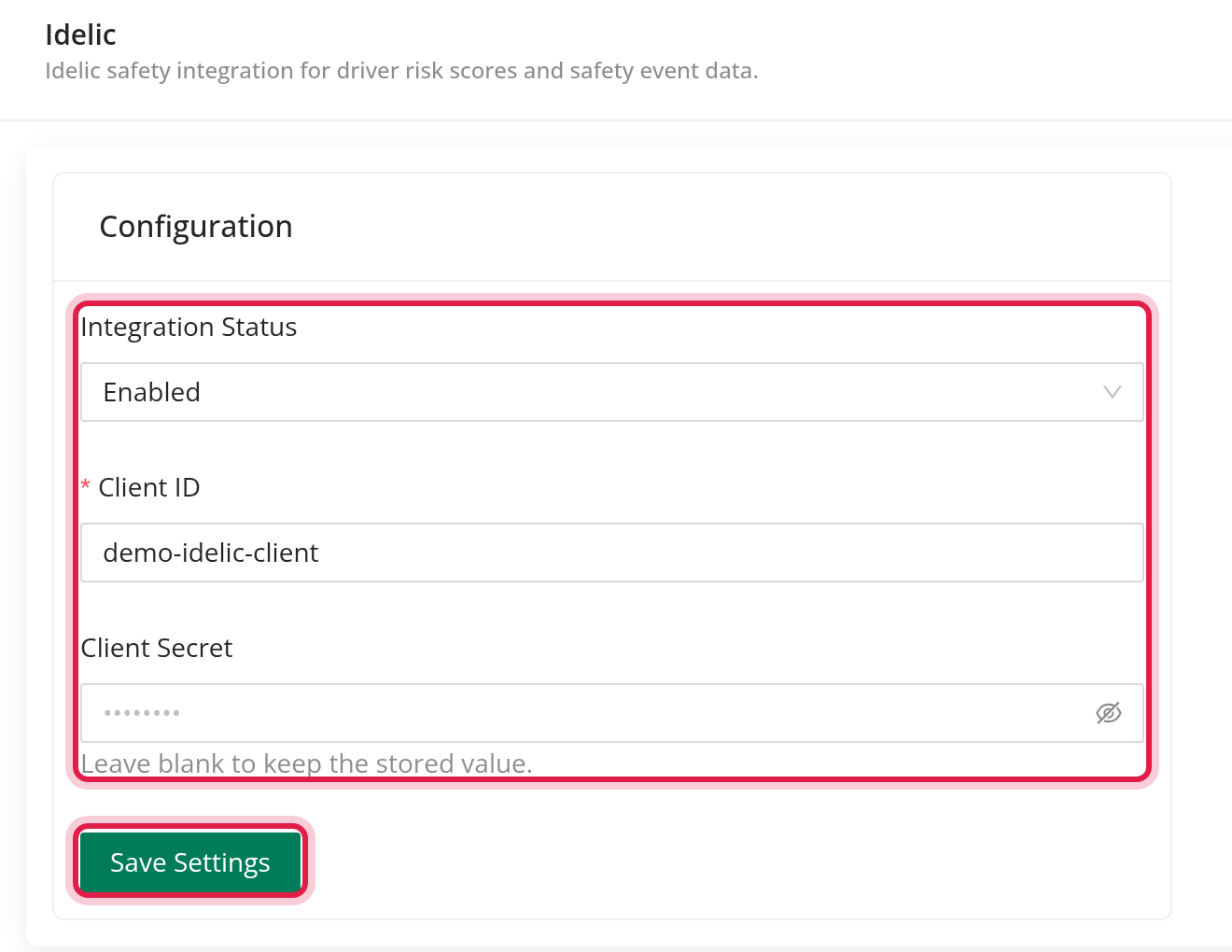
Once the secret is saved, OpenRoad never shows it again. If you leave the field blank when saving, the saved secret stays. There is no Test Connection button on this page.
Part 2: How scores are matched
- OpenRoad collects the scores once a day, at night.
- A score is matched to an active driver whose driver number is exactly the same as the employee number in Idelic. Letters must match exactly.
- A driver with no match, or who is not active, gets no score. OpenRoad does not show a message for this.
Part 3: See the scores
On the driver profile. Open Drivers, then a driver. The driver card shows the Idelic score as a ring with a number, and the change over the last 7 days and 30 days. A change that went up is shown in red and a change that went down in green. Hover over the score to open the Idelic Score Breakdown: the factors that are Lowering Score and Increasing Score, and the time of the data.
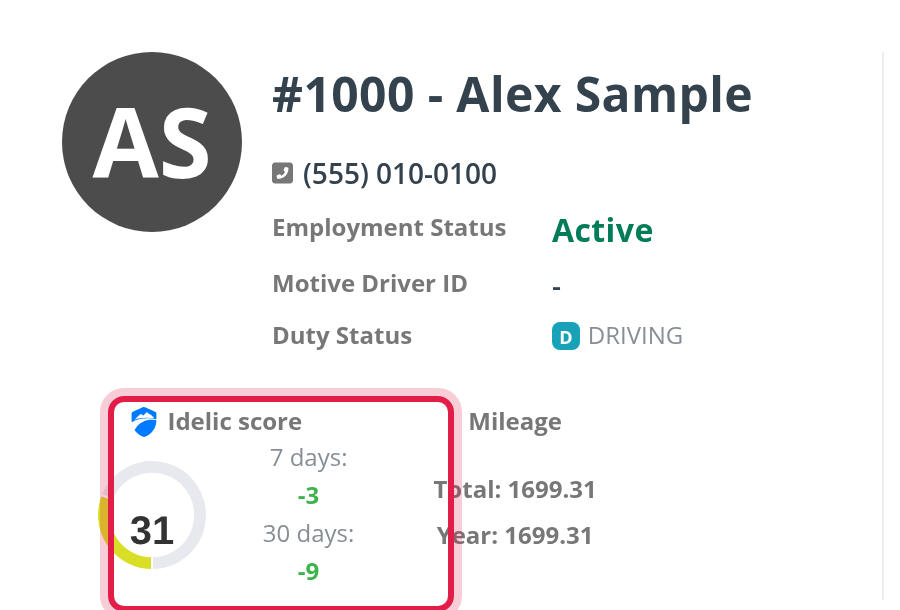
In the Drivers table. When the integration is enabled, the Drivers table can show the Idelic score of each driver.
A lower score is better: the colors run from green for a low score to red for a high one.
ELITE Score. The Idelic score is one of the components that the ELITE Score can use. It counts only when that component is turned on for your account.
Frequently asked questions
Was this article helpful?
That’s Great!
Thank you for your feedback
Sorry! We couldn't be helpful
Thank you for your feedback
Feedback sent
We appreciate your effort and will try to fix the article