Connect Tenstreet to OpenRoad TMS and every driver application Tenstreet sends is saved, matched to your drivers and, depending on its Tenstreet status, becomes a driver profile or updates the one you already have. License expiration dates, source, recruiter and selected documents are brought over as well.
Before you begin
- The Tenstreet feature must be switched on for your account. If you do not see Tenstreet under Settings, Integrations, contact OpenRoad Support at help@openroadtms.com.
- Only a Superadmin can open and save the Tenstreet settings.
- From Tenstreet you need your Company ID, Client ID, the API Password and the Source name Tenstreet assigned to OpenRoad.
- You also choose a Webhook Username and Webhook Password yourself. You enter them here and in your Tenstreet dashboard, so that Tenstreet can prove who it is when it sends an application.
- You need access to your Tenstreet dashboard to paste in the webhook address.
Part 1: Connect Tenstreet
- Go to Settings, Integrations, Tenstreet.
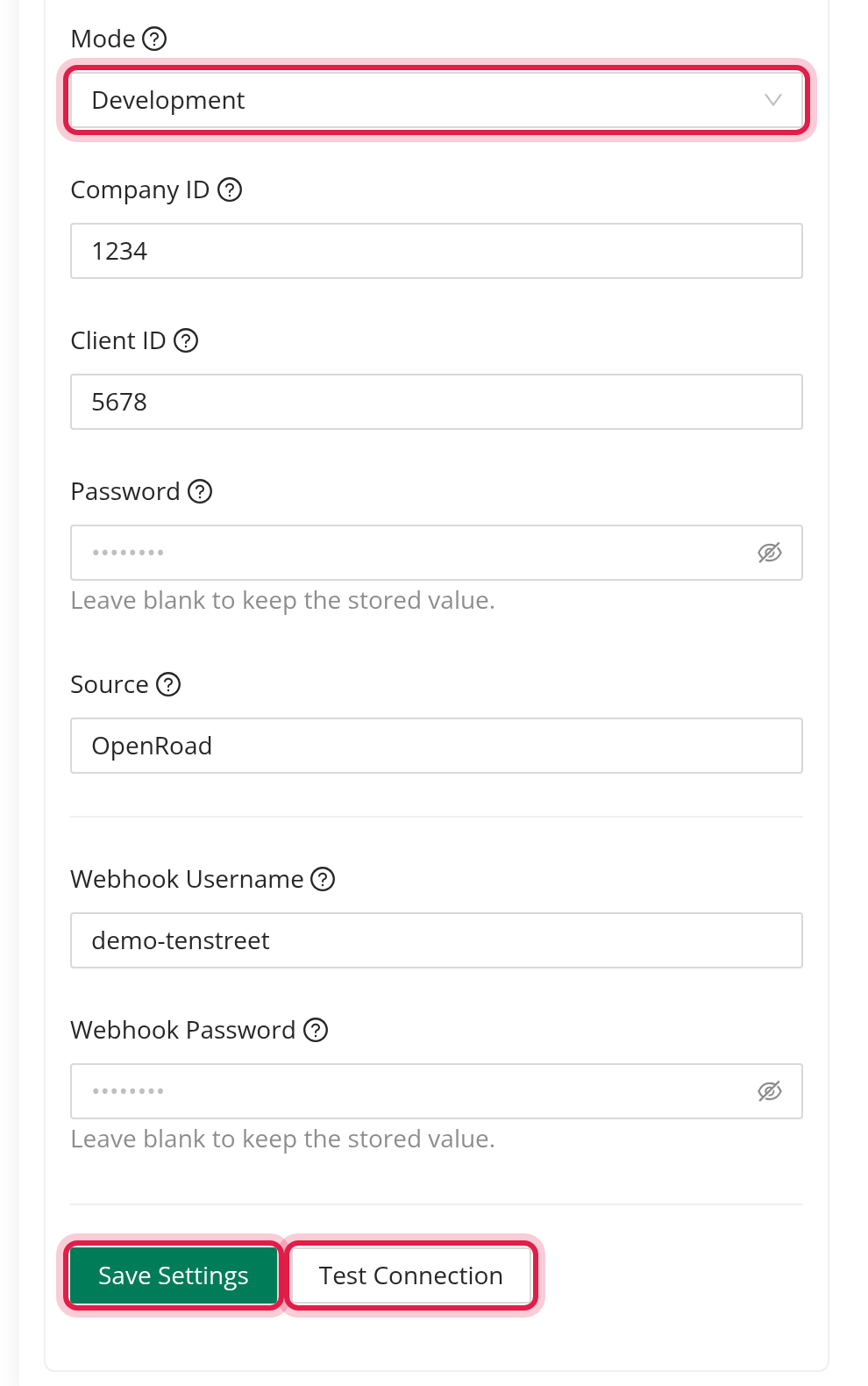
- In the Configuration card fill in:
- Mode: Development uses Tenstreet's test environment, Production uses the live one. - Company ID, Client ID, Password and Source from Tenstreet. Once saved, the password is never shown again; leave the field blank to keep it. - Webhook Username and Webhook Password (the password is never shown again either).
- Click Test Connection. OpenRoad sends a test request to Tenstreet with the values in the form (or the saved ones). You see "Connection successful!" or the reason it failed, such as "Client ID is required", "Connection timed out" or the message Tenstreet returned.
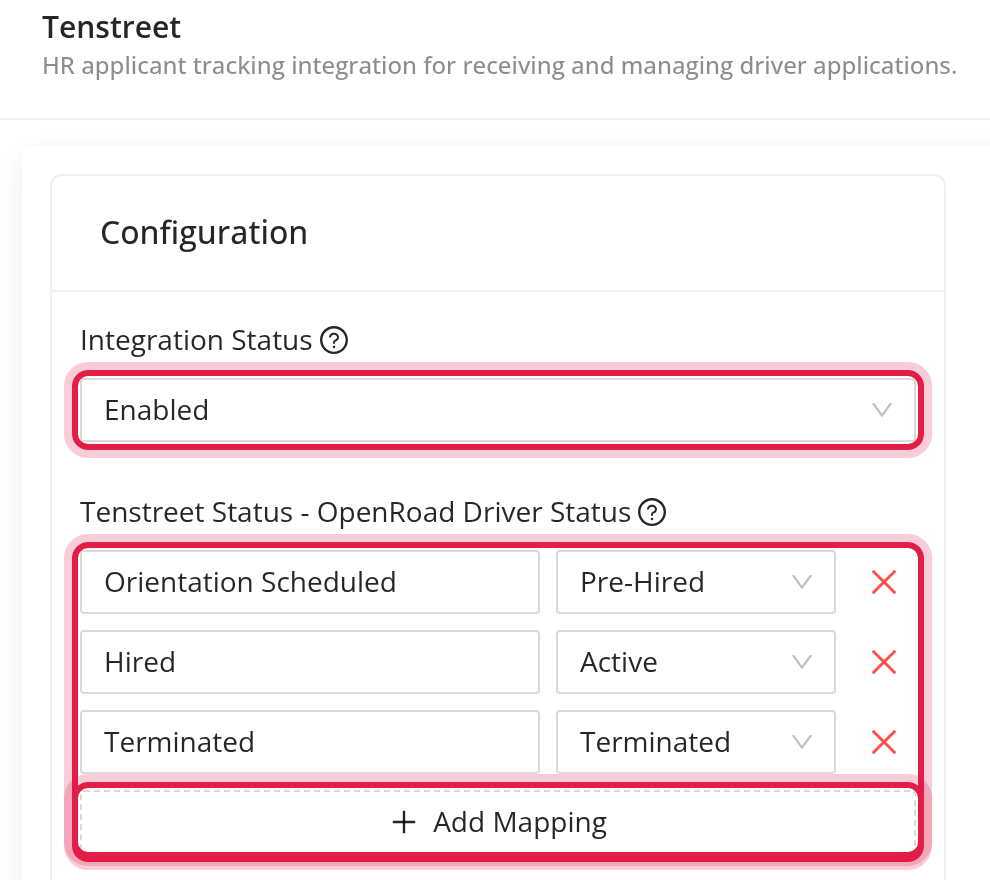
- Set Integration Status to Enabled.
- Click Save Settings.
while Integration Status is Disabled, applications sent by Tenstreet are ignored and not saved.
Part 2: Give Tenstreet the webhook address
- In the Webhook Configuration card click Generate secret. OpenRoad creates your private webhook address.
- Click the address to copy it. The end of the address is hidden on screen; the copy contains all of it.
- In your Tenstreet dashboard, set this address as the place to send applications, with the Webhook Username and Webhook Password you saved in OpenRoad.
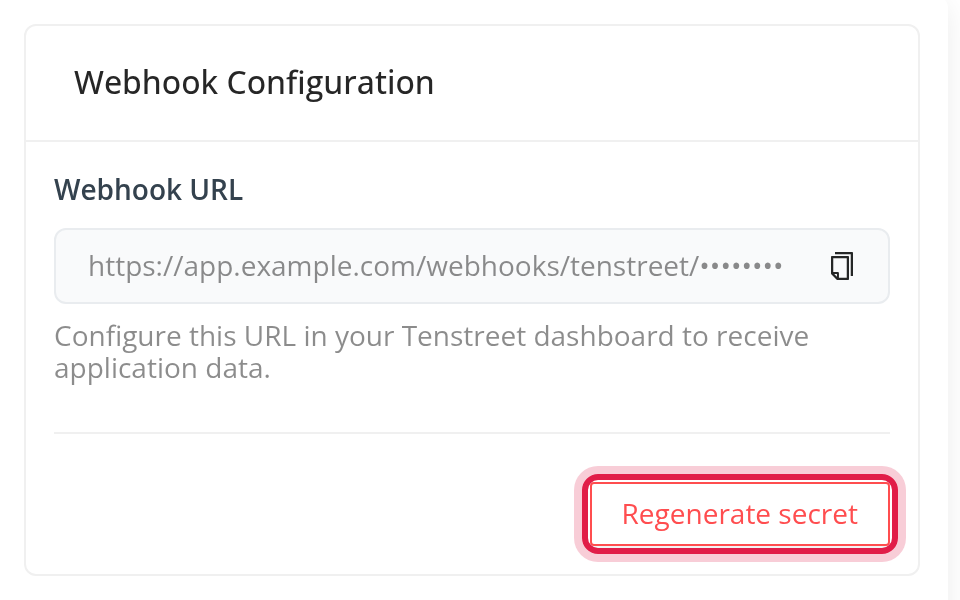
Regenerate secret creates a new address and the old one stops working. Tenstreet stops delivering applications until the new address is set in the Tenstreet dashboard. OpenRoad asks you to confirm first.
Part 3: Decide which statuses create or change drivers
In Tenstreet Status - OpenRoad Driver Status you map the status labels used in Tenstreet to a driver status in OpenRoad: Lead, Pre-Hired, Active or Terminated.
- Click Add Mapping for a new row, type the Tenstreet status exactly as Tenstreet names it (capital letters and spaces around it do not matter), and choose the driver status.
- Each Tenstreet status can be mapped only once.
- A status that is not listed changes nothing.
- A new applicant gets a driver profile only when the status maps to Lead, Pre-Hired or Active.
- If you never save a mapping, OpenRoad uses "Orientation Scheduled" as Pre-Hired and "Terminated" as Terminated.
What OpenRoad does with an application
- Tenstreet sends the application to your webhook address. OpenRoad checks the address, the webhook username and password, and that the integration is enabled, then saves the application and processes it in the background.
- The applicant is recognised if it was seen before: first by the Tenstreet driver ID, then by social security number, then by e-mail or phone together with the last name.
- OpenRoad looks for an existing driver: first by social security number, then by CDL number and state. If it finds none and the status maps to Lead, Pre-Hired or Active, it creates a new driver.
- This runs again every day at 7:00 AM for applicants that have no driver yet or whose status changed.
A new driver is created as a company driver with the name, e-mail, phone, date of birth, address, social security number and the CDL number, state and expiration from the application. A new applicant whose status maps to Active starts as a Lead.
An existing driver changes status when the Tenstreet status maps to:
- Pre-Hired: from Lead, or from Terminated for a returning applicant.
- Active: from Lead or Pre-Hired, or from Terminated for a returning applicant. The hire date is the Tenstreet Hire_Date field when the application has it, otherwise the day the application arrived.
- Terminated: from Lead, Pre-Hired or Active. OpenRoad records an involuntary termination with the reason "other" and the note "Terminated in Tenstreet".
Source and recruiter are filled from the "Heard About Us" answer and the assigned recruiter in the application, only when the driver's own fields are still blank.
License dates: the CDL expiration and the physical expiration are updated from Tenstreet when the date is different and the driver has not held that date before.
Documents: for applications received in the last 30 days, OpenRoad copies these Tenstreet documents to the driver's uploads: MVR (every copy), PSP and CDLIS (the newest copy). A document is never copied twice, and the uploader shows as "System".
Every change made this way is written in the driver's change log with a comment starting "Tenstreet", for example "Tenstreet application status: <status>".
Frequently asked questions
Was this article helpful?
That’s Great!
Thank you for your feedback
Sorry! We couldn't be helpful
Thank you for your feedback
Feedback sent
We appreciate your effort and will try to fix the article