The Maintenance menu is where your shop and dispatch teams follow every repair on your trucks and trailers: an issue is reported, a shop visit is scheduled, the unit goes in service, the repair is completed and invoiced, and Accounting exports the bill. This article is the map.
Before you begin
- You need permission to use it. By default the Maintenance menu is for the Dispatcher, Capacity, HR, Safety, Accounting and Maintenance user types, plus Admin and Superadmin. Drivers and customers do not see it. See Settings → Access: set what each role and each user can see and do; the area is called Maintenance.
- Your trucks, trailers, maintenance shops (as vendors) and their addresses must exist first, see Trucks: start here, Trailers: start here (list, profile, tabs, inspection reminders and settings) and Vendors: start here.
The pages
| Page | What it is for | Article |
|---|---|---|
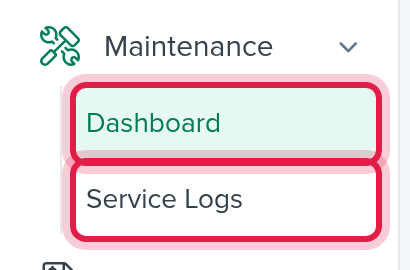
| Maintenance → Dashboard | Four tables of open repairs by stage, and a TV view. | Maintenance → Dashboard: follow reported, scheduled, out of service and completed service logs |
| Maintenance → Service Logs | Every service log, with filters. | Maintenance → Service Logs: find, filter and read the list |
| A service log | Report an issue and take it from repair to invoice. | Maintenance → Service Logs: report an issue and follow it from repair to invoice |
| Accounting → Service Logs | Export invoiced service logs to QuickBooks. | Accounting → Service Logs: export invoiced service logs to QuickBooks |
| The Maintenance tab of a truck or trailer | Repair status flags, Samsara gateway and the unit's service logs. | Repair status and preventive maintenance: keep dispatch and the planner informed |
The life of a repair
- Report. Someone enters an issue for a truck or trailer: the category, priority and a description. The service log is Reported.
- Schedule. You choose the shop and the times: Scheduled.
- Start. The unit arrives at the shop: Out of Service.
- Finish. The repair is done: Completed.
- Invoice. You enter the shop's invoice and line items: Invoiced.
- Export. Accounting exports the invoiced service logs to QuickBooks: Exported.
Alongside, mark the unit Needs Repair, OOS or Restricted Use on its Maintenance tab, so dispatch sees it in the planner.
Where else maintenance shows up
- Stats: the chart Weekly Maintenance Cost shows invoiced repair cost by week and by line-item type, with the estimated cost of completed repairs. See Stats: charts for loads, linehaul, fuel, miles, maintenance and your fleet.
- KPI: the rows Truck Maintenance and Trailer Maintenance add up the invoiced line items of the period. See KPI: weekly profit report, where every number comes from and how to set it up.
- Truck and trailer pages: the Stats tab of a truck has a Maintenance cost/mile card.
- Fleetrock (extra feature): preventive maintenance due dates on trucks and trailers, see Fleetrock Integration: follow preventive maintenance due dates on your trucks and trailers.
- Emails: each stage can email people, see Settings → Preferences → Email Notifications: turn each email on or off and choose who receives it, area Equipment & Maintenance.
Maintenance managers
A Maintenance Manager is a person you assign to a team or to a single driver, as Primary, Secondary or Additional. You choose them on the driver's card (Maintenance Manager (Primary / Secondary / Additional)) or for a whole team in Hierarchy, on the Teams tab. Only Admin can assign. The managers can be users of the types Superadmin, Admin or Maintenance. Setting a team's manager fills it in for all of the team's active drivers that have none, and changing a driver's dispatcher gives the driver the new team's managers. The managers show in the drivers list. See Hierarchy: offices, teams, managers and who covers whom.
Maintenance managers do not receive the service log emails by default. Add receivers in Email Notifications; the group All Maintenance sends to every active user of the Maintenance type.
FAQ
Was this article helpful?
That’s Great!
Thank you for your feedback
Sorry! We couldn't be helpful
Thank you for your feedback
Feedback sent
We appreciate your effort and will try to fix the article